Switch hosting
Switch to Swizz-IT without copying files yourself
In the customer panel you enter the logins of your current provider. Our moving assistant does the rest: it fetches your data, checks it and only switches over once everything runs with us.
What we move for you
- Website: all files of your website.
- Database: for WordPress and Joomla we fetch it directly from your current provider and adjust the settings of your website.
- Mailboxes: all folders with all emails.
- Domain: we take over its known records and point website and email to us.
How the move works, step by step
-
Enter your domain
You tell us which domain moves and what comes along: website and emails, only the website or only the emails.
-
Access to your web space
You enter the server, user name and password of your current web space. We test the connection right away and find the folder of your website.
-
Your mailboxes
You enter the current password for each mailbox. Here too we test the login right away.
-
Plan and payment
We suggest a plan that fits your website and your emails. You pay online or with a QR-bill.
-
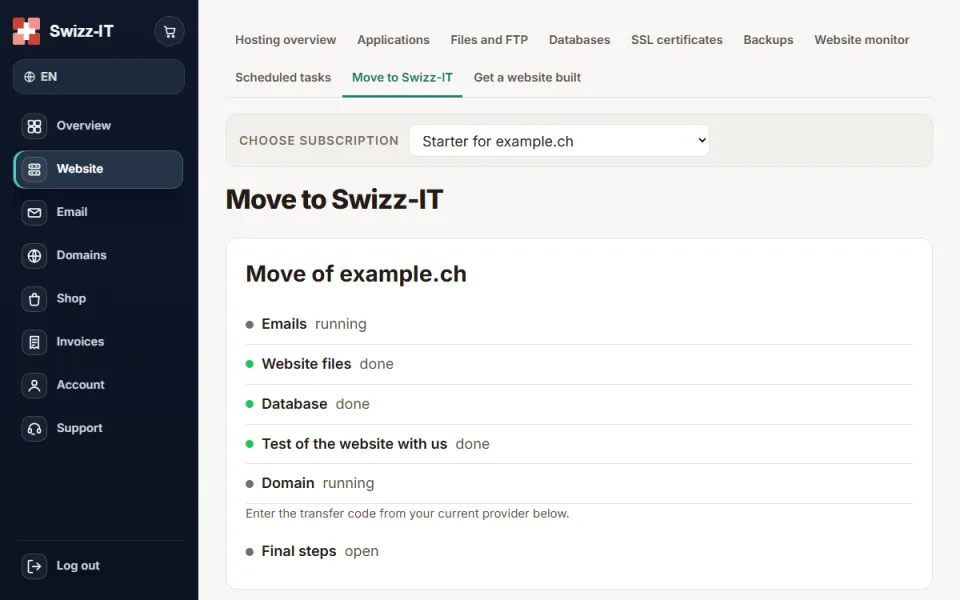
We fetch your data
We copy files, database and emails to us and check the files for malware.
-
Test with us
We test your website with us and compare it with the current one. We switch over as soon as everything runs.
-
Transfer code
Now we ask you for the transfer code of your domain. Then the domain moves, and your website and emails run with us.
-
Move completed
We also bring over emails that arrive at your current provider during the switch. Then you get the settings for your phone and email program.
What you need
- The FTP or SFTP login of your current web space. You find it in the customer area of your provider.
- The passwords of your mailboxes.
- The transfer code of your domain, often called auth code. You only need it at the end.
- For endings like .com you confirm the move with one click on a link by email.
What it costs
The move is free. Transferring a domain ending in .ch and .li is free. For other endings the transfer extends your domain by one year right away, at the domain's yearly price.
Your website stays online
Your website and your emails keep running at your current provider until everything is ready with us.
Frequently asked questions
Do I need technical knowledge?
No. All you need are the login details of your current provider. We check every entry right away.
What happens to my emails?
We move all your mailboxes with all emails and folders.
When do I cancel with my current provider?
As soon as we tell you by email that the move is complete. Until then everything keeps running at your current provider.
Where do I get the transfer code?
In the customer area of your current provider, usually in the settings of the domain. Some providers send it by email on request.
I have a website I built myself. Does that work too?
Yes. We fetch the files the same way. If your website needs a database, you upload an export file and we take it over.
Start your move now
Choose a plan and start the move in the customer panel. We let you know by email as soon as everything runs with us.